UPS WorldShip Error messages XML auto import

UPS Worldship XML import started failing with error after July 2026 update for European WorldEase shipments.
ERROR: EU destination shipment requires Business Type(B2B or B2C) to be specified.
This is due to the EU De Minimis Removal update in July 2026 WorldShip update.
The following node needs introducing for Business or Consumer (B/C). This field was defaulted by Worldship before before and now must be specified.
<InternationalComplianceShipmentReceiver>B</InternationalComplianceShipmentReceiver>
This sets the flag under the import window
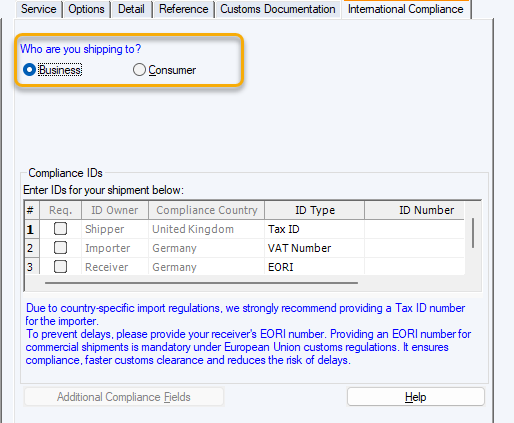
After sort the above error the following error happened...
One or more Vendor Collect ID fields were not imported for your shipment. Please update your import file or process this shipment manually.
This one seems to be linked to needing to now specify the default for the IOSS field. In our case this is exempt so setting the exempt flag worked.
<VendorCollectIDNumberExempt>1</VendorCollectIDNumberExempt>
remember you can look at the Openshipments.xdr in the import drop directory to find the field names for the xml.