Dynamics GP RTV creates phantom erroneous negative inventory item allocations
When changing RTV type after processing a RMA line in Dynamics GP with customer owned checkbox selected, a negative inventory allocation is incorrectly applied to the item.

This is a long standing issue that was finally tracked down this morning. Sometimes when creating a RTV in the Dynamics GP returns management module it would mess with inventory allocations when it shouldn't. The issue is around changing the RTV type and rolling down the changes.
Reproducing the issue
A customer is returning an item, to allow the supplier to repair it and return it back again.
The goods will be recovered from the customer on a RMA, then returned to the supplier on a repair and return RTV. The RMA will be marked customer owned, as the item should not hit any of our inventory quantities nor touch any financial values for inventory. Indeed that is the purpose of the customer owned check box.
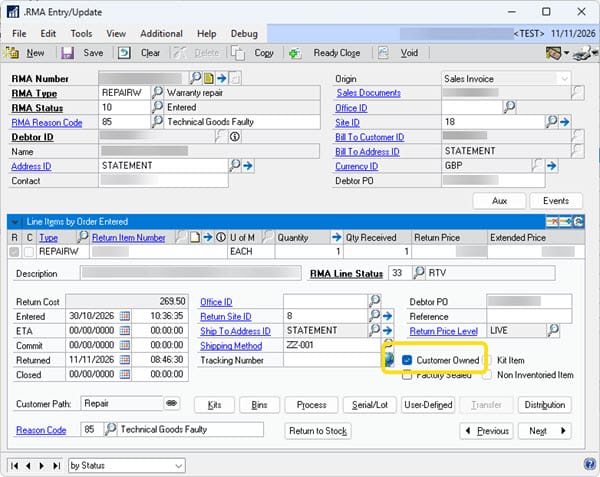
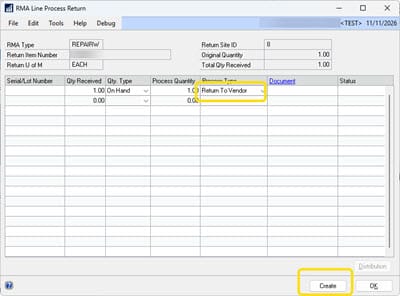
When an RTV is created from the process button on the RMA line in order for the item to be returned to the vendor, then a RTV is created and the window pops up.
The RTV type is defaulted from the settings in Returns Management, CREDIT in this case, however we don't need credit we need Repair & Return, as the supplier will be sending this back to the customer. The RTV is correctly created, and it even has its own customer owned check box shown (grayed out) which is inherited from the RMA as checked.
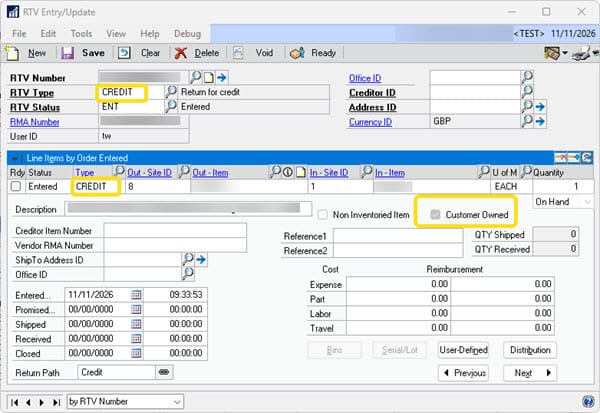
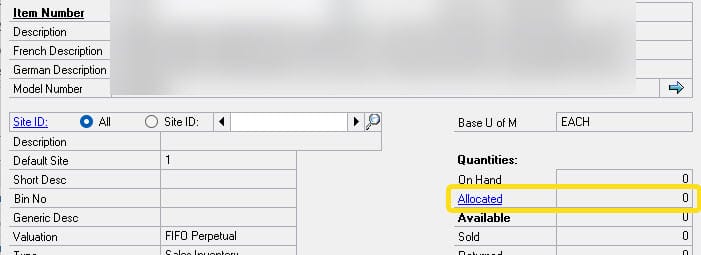
Checking the inventory at this point there is no inventory allocation against the item on the RTV.
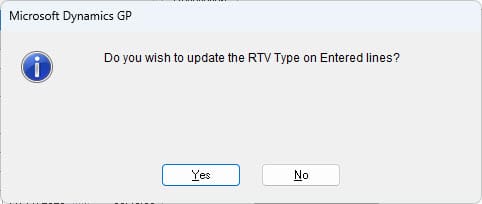
The user will now need to use the RTV type lookup or over type the RTV type to change it from the default CREDIT to Repair & Return. On doing this the RTV will ask if the change should be rolled down to the lines. As the only way to change the RTV type on the lines is to roll down the changes, the user responds affirmatively.
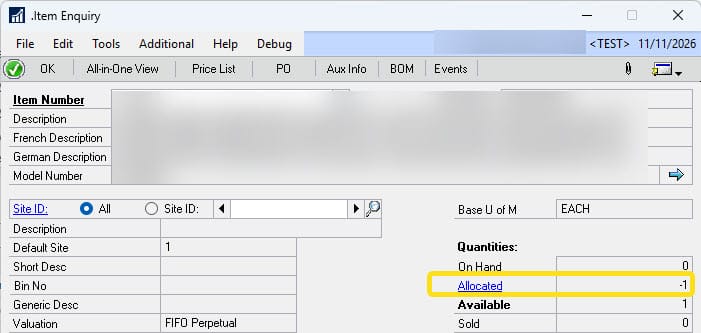
This at this point the item becomes allocated in inventory. Clicking the hyperlink for "Allocated" in Item Enquiry confirms with an empty window that the item is indeed not allocated to anything- so indeed it is a phantom allocation.
If instead of agreeing for roll down the change of RTV type, the user selects no, then the allocation does not happen, the header of the RTV gets the new RTV type but the line does not. The only way to change the line RTV type seems to be to roll down the change, an action that creates a phantom allocation.
This phantom allocation will never be corrected organically as it was never meant to be there in the first place. Intervention by means of an inventory reconcile or SQL script correction is required.
After finding the cause searching for solutions uncovered a report of this issue from 10 years in 2016 ago on the community forums. That post describes exactly the same issue word for word (which is reassuring in some ways). With the time that has elapsed, lets just say I'm not going to be holding my breath for a hot fix/fix for this.
I am not certain if setting Repair and Return to be the default option could resolve this or if the issue would then just pop up on another RTV type.
Another option is to run a SQL script to fix the allocations for items on a RTV from a GP modification to be triggered from an appropriate place in the RTV form.