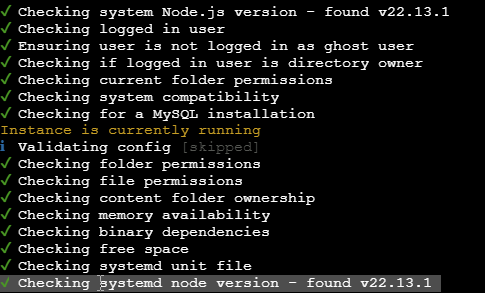
Fixing: Warning Ghost Blog is running with node v20.11.1 Your current version is V22.13.1
Fixing:Warning Ghost Blog is running with node v20.11.1 Your current version is V22.13.1


I had this issue where I had two different versions of node on my server.
- Install Node via apt
- Installed Node via Nvm
I checked the versions and location of node, found the two different versions:
which node
node -v
After un-installing the non-nvm version,
sudo apt remove nodejs npm
sudo apt autoremove
And checking I had version i needed
nvm install v22.13.1
nvm use v22.13.1
Checked again everything pointed to same install
I checked the versions and location of node, found the two different versions:
which node
node -v
Ghost continued to complain of
Naming: Ghost is running with node 20.11.1.
Your current node version is v22.13.1.
The solution for me was to rebuild the startup file:
From the Ghost directory:
cd /var/www/ghost
Remove the current unit file:
sudo rm /lib/systemd/system/{your file for ghost.service}
Reload systemd so it forgets the old file:
sudo systemctl daemon-reload
Ask Ghost-CLI to (re)create the linux user + systemd unit:
ghost setup linux-user systemd
Check the new unit:
sudo systemctl cat {your file for ghost.service}
Restart Ghost and re-run doctor:
ghost restart
ghost doctor
Everything should be ok now.